Who it's for

Built for how Owner's Reps actually work

Conduit Project Flow is for the construction consulting PM, not the general contractor.

You are the Owner's Representative: the consultant who runs a full book of an owner's projects at once, far more than a builder ever would, from the first conversation before the LOI through closeout. You do not swing the hammer or run the crew. You steer the project and the parties, protect the owner's interest, and keep every job moving. Conduit is built for that work, and only that work.

Built for the owner's rep

One rep, a full book of projects, full sight on all of them.

Coordination and oversight across every job, from the first call to closeout.

The volume problem

A full book of projects, and a question about any one of them at any moment

You run many projects, and they rhyme: the same phases, the same kinds of steps, over and over. That is exactly what makes them blur. You are deep in one job when the phone rings about another, and before you can answer you have to find your place again. Whose project, what phase, what was the last thing that moved. Across a day of out-of-order switches, that reset is where the hours and the fatigue go. Conduit takes it off the table. Pick a project and the whole thing reads clean again in seconds.
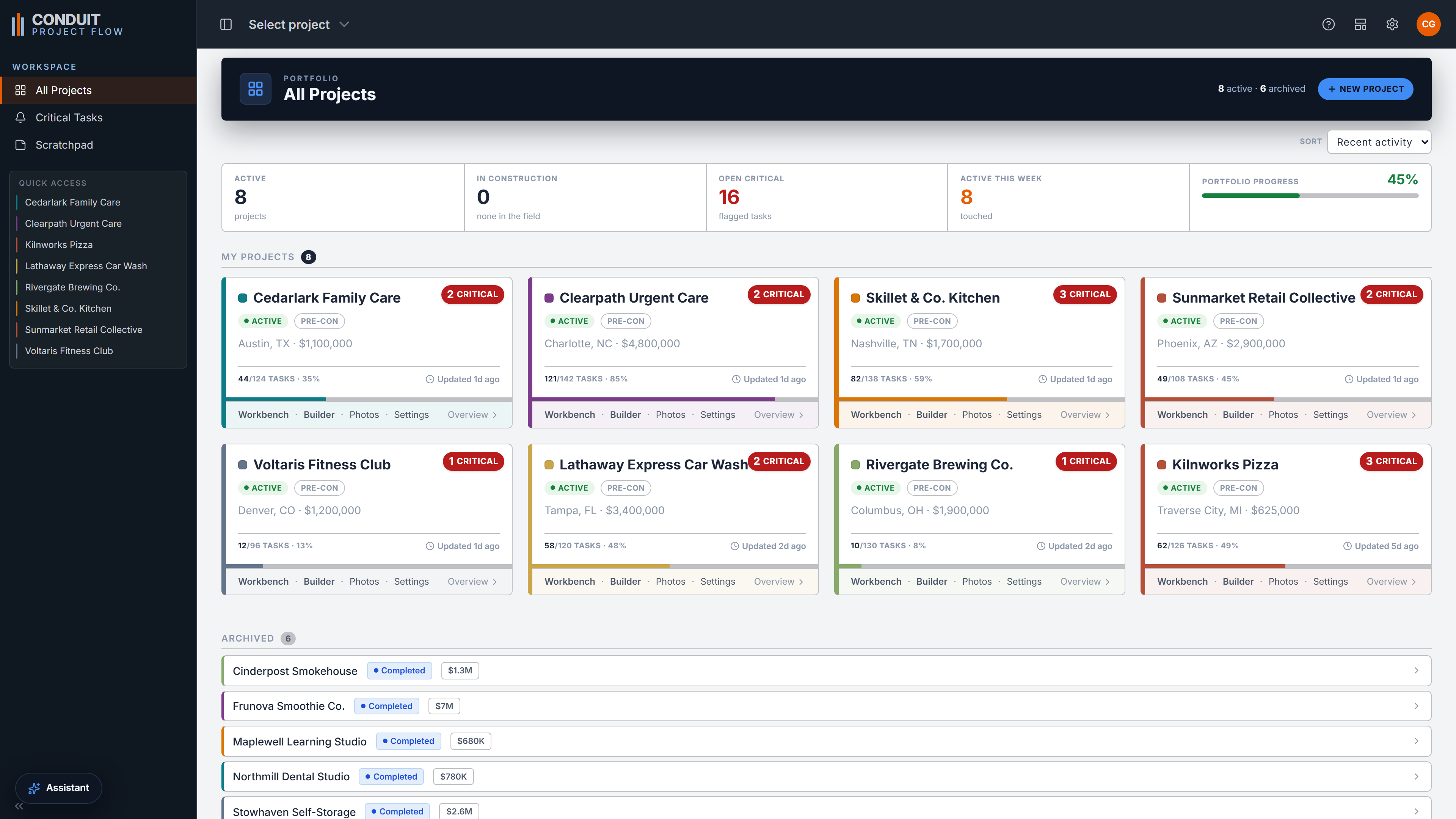
The All Projects portfolio view

The coordinator role

Your job is coordination and oversight, not doing the tasks

A general contractor's PM lives inside one or two builds and goes deep. Your work is the opposite shape: many small touches across many projects. Steering the parties, tracking bids and approvals, keeping the GC's schedule honest, protecting the owner through every escalation. It is a long-term role of oversight, not execution. Conduit is shaped around that. A portfolio you can hold in one head, every project one click from full status, and the flagged work from every job gathered in one place.

  • You sit between owner, GC, designers, and field, and Conduit keeps your private workspace and the client's view cleanly apart.
  • Track bids, pay apps, change orders, permits, and long-leads on the task itself, not in a pile of side apps.
  • Every flagged task across every project rolls up into one cross-project view, with a notepad to plan the week.
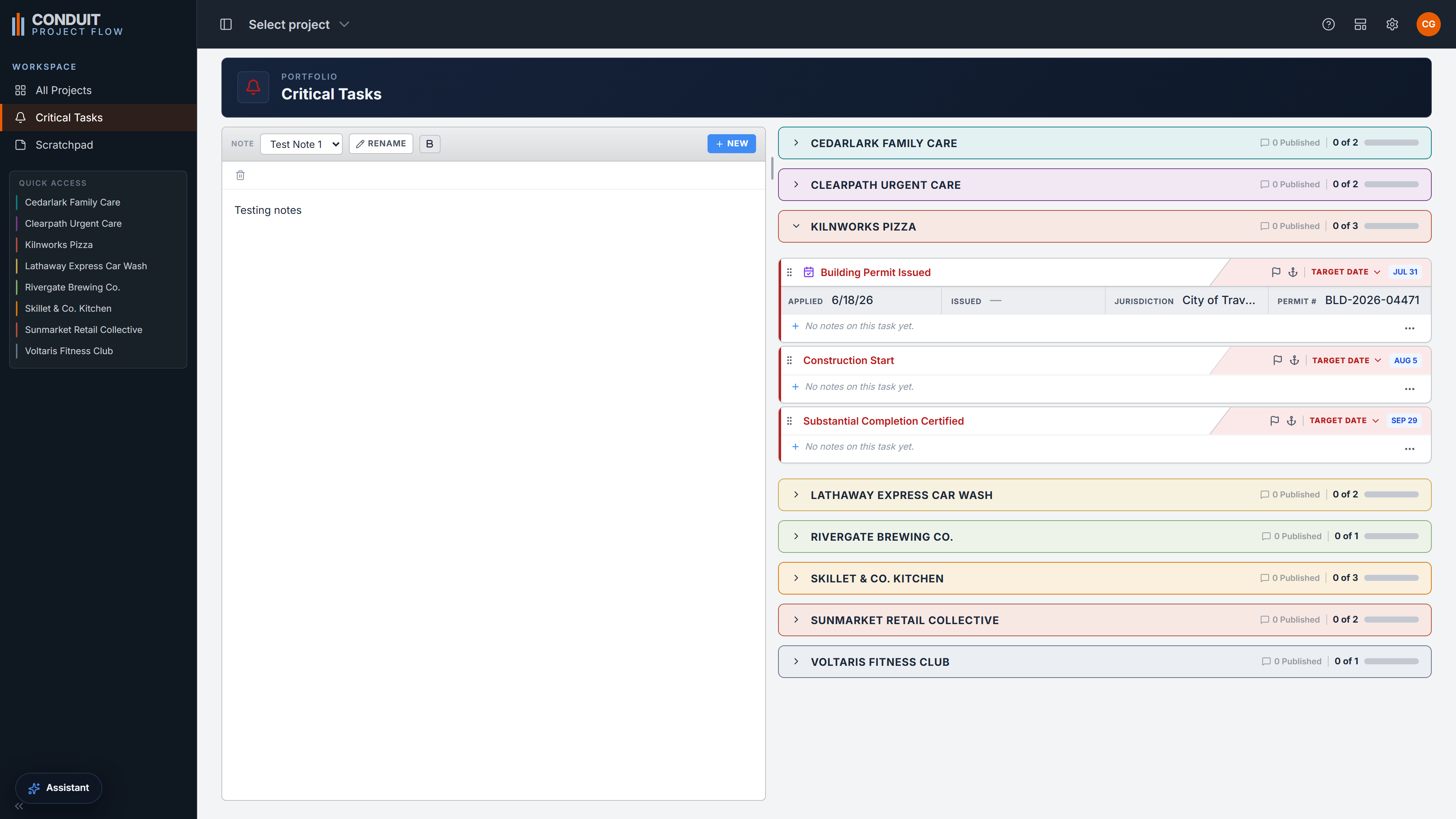
The cross-project Critical Tasks roll-up

TI and ground-up

Tenant improvement and ground-up, from site selection through closeout

The work spans both tenant improvements and ground-up builds, from franchise rollouts and restaurants to medical, dental, and retail, and it starts long before a shovel, back at site selection and the letter of intent. Conduit ships with a template for each. A new project and a start date stamp out a full job in seconds, its phases, tasks, lenses, and tracked folders already in place, every date computed from its own start.

  • Ships with TI and ground-up templates you customize, use in part, or set aside.
  • Covers the front half GC tools skip, from site evaluation to lease review to design coordination, not only the construction phase.
  • You set one start date, and every downstream date computes itself from a single engine.
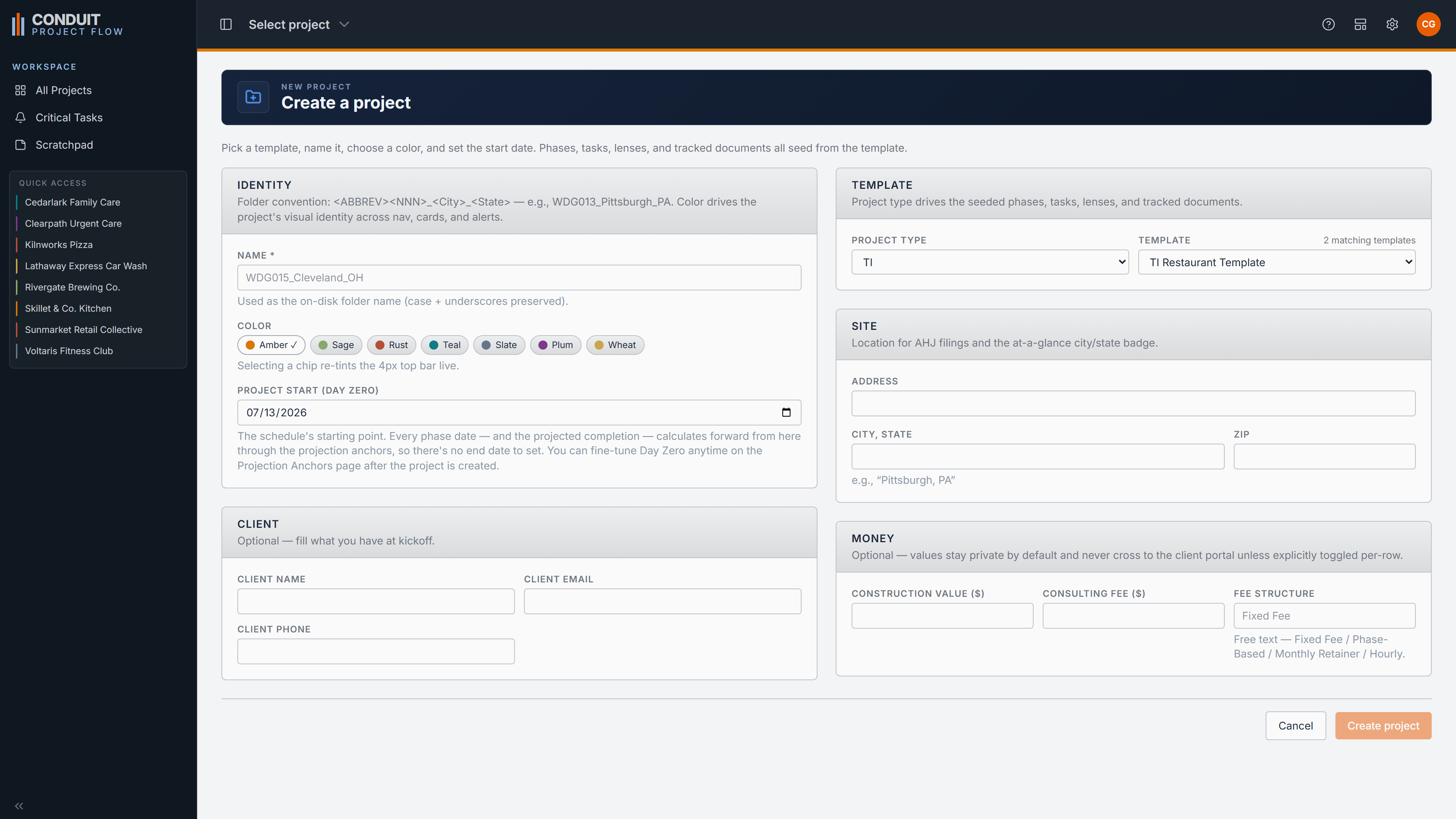
Creating a new project from a template

Why GC tools fall short

Tools built for general contractors force you into the wrong shape

The big field platforms are built for the general contractor's job: one or two deep builds, a crew in the field, daily logs and execution. Run a full book of owner's-side projects through that machinery and every switch between them is a slog, and the front half of your job barely exists in it: pre-LOI, site selection, the lease, design coordination. There has been no purpose-built tool for the consulting PM, only a GC tool bent to fit or a generic app that never knew the work. Conduit is built for the consulting workflow instead. That is the whole point.

In fairness

Who Conduit is not for

This focus cuts both ways, so it is worth being plain. Conduit is not for general contractors or subcontractors, who run fewer, deeper jobs and live in heavy field-execution tools. It is not a bidding marketplace, not accounting, not a superintendent's daily log. If your day is one big build with a crew, this is not your tool. Conduit does one job, the consulting PM's, and does not try to be everything to everyone on a jobsite.

Full sight

Full sight on any project, at any focus, in seconds

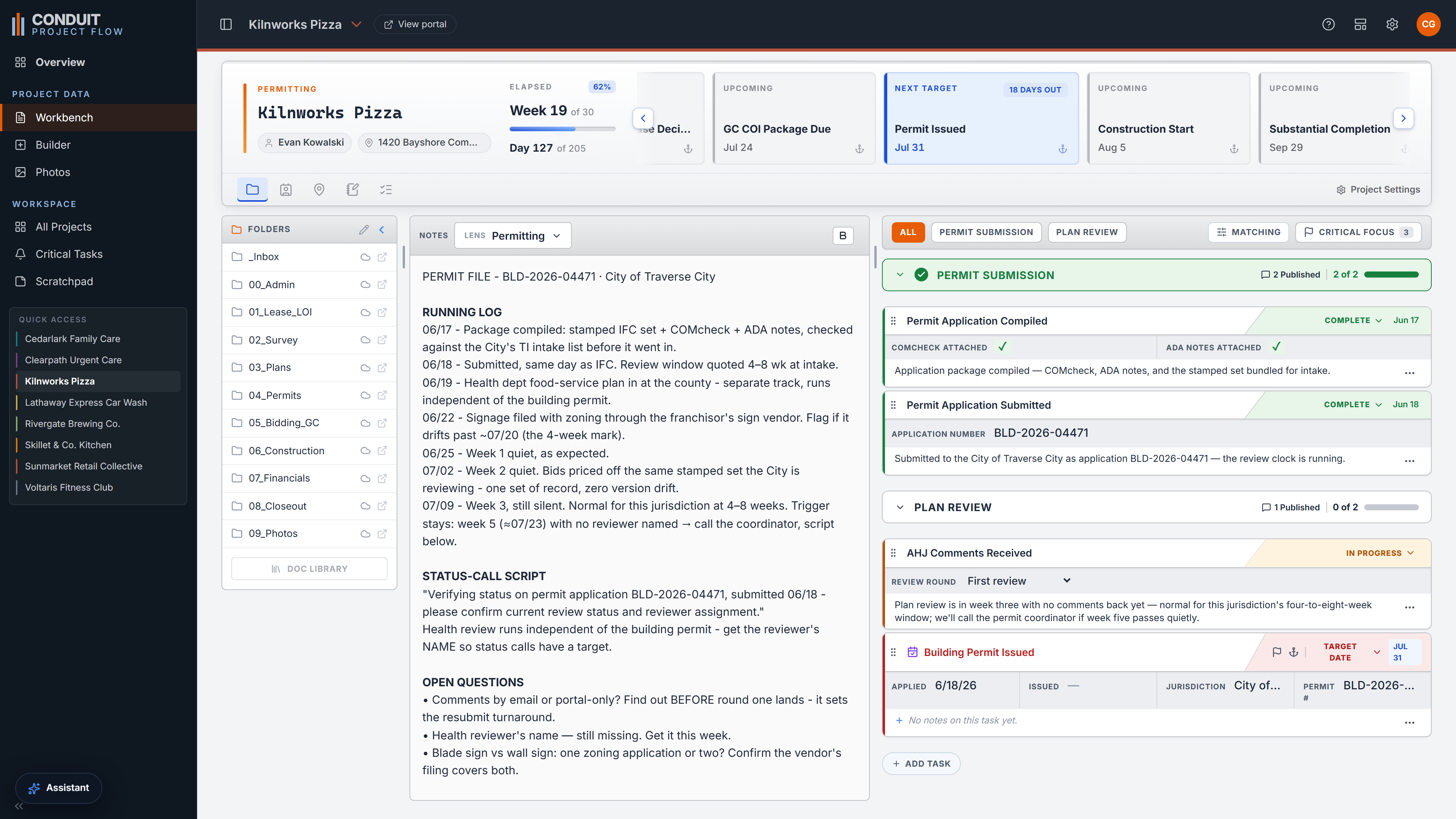
The Workbench is where the job actually gets done. Pick a project, choose a focus like permitting, and its running notes and only the tasks under it are in front of you at once, with documents, contacts, meeting minutes, and live dates on the same always-open surface. The phone rings about a permit on a job you have not touched in a week, and you answer with full confidence before the call warms up. That answer, repeated across a million tiny glances, is the whole product.

Book a demo
The Workbench with a lens applied

See it on the work you actually do

Conduit Project Flow is built for one person, and you might be that person. Book a demo and we will walk it through on projects that look like yours, or get started and set up your first job. Questions first? Reach a real person at [email protected].